
WhatsApp Coexistence allows businesses to connect their existing WhatsApp Business App number to Link+ while continuing to use the WhatsApp Business App on their mobile device.
During onboarding, some users may experience issues related to phone number eligibility, previous WhatsApp API connections, Meta Business Account permissions, QR code verification, chat synchronization, or WhatsApp Business Account (WABA) sharing.
This article explains the most common issues, their possible causes, and the recommended troubleshooting steps.
Table of Contents✓Before You Begin1Phone Number Is Not Eligible for WhatsApp Coexistence2Phone Number Is Already Registered With Another WhatsApp API Provider3QR Code Is Missing or Cannot Be Scanned4Chat History or Contact Synchronization Is Stuck5Unable to Link a Meta Business Portfolio6Unable to Disconnect WhatsApp Coexistence7Messages From Companion Devices Are Not Synchronizing8Unable to Change the WhatsApp Business Name9WABA Sharing or Partner Conflicts10Phone Number Is Not Associated With the Selected Business11Phone Number Is Not Registered With WhatsApp Business12WhatsApp Coexistence Is Not Available in Your Region13Phone Number Is Already Linked to Another Facebook Page14WhatsApp Business Account Uses Marketing Messages Lite15What to Do if the Issue Persists16Frequently Asked Questions✓Before You Begin
Before starting WhatsApp Coexistence onboarding, make sure:
- Your WhatsApp Business App is updated to the latest available version.
- Your phone number is actively being used in the WhatsApp Business App.
- You have administrator access to the relevant Meta Business Portfolio.
- Your internet connection is stable.
- You have access to the mobile device running the WhatsApp Business App.
- Your phone number is not associated with an unresolved previous WhatsApp API connection.
WhatsApp Coexistence eligibility is determined by Meta. Link+ cannot manually override Meta's eligibility restrictions.
Troubleshooting Guide14 common Coexistence issuesFind the error you're seeing below, then follow its resolution steps.1Phone Number Is Not Eligible for WhatsApp Coexistence
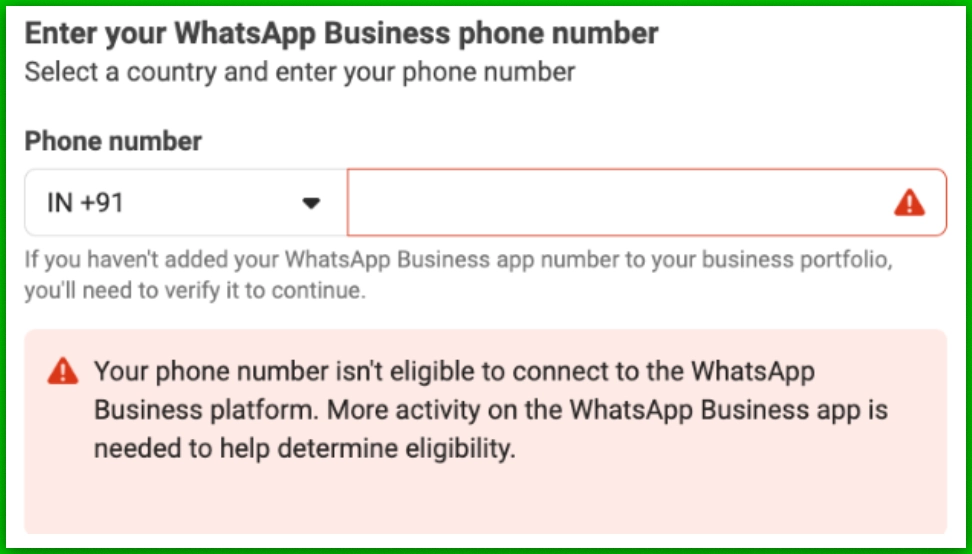
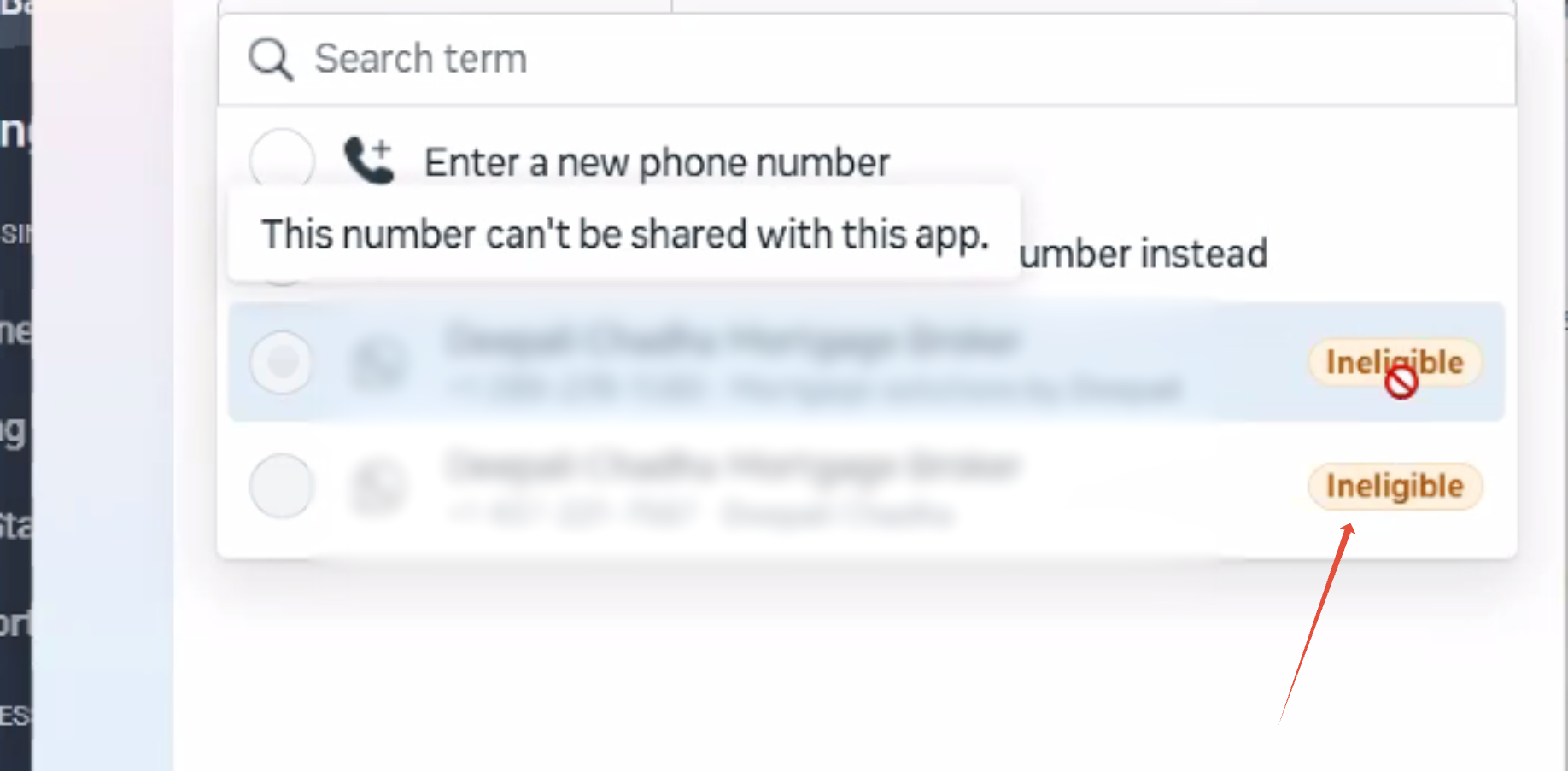
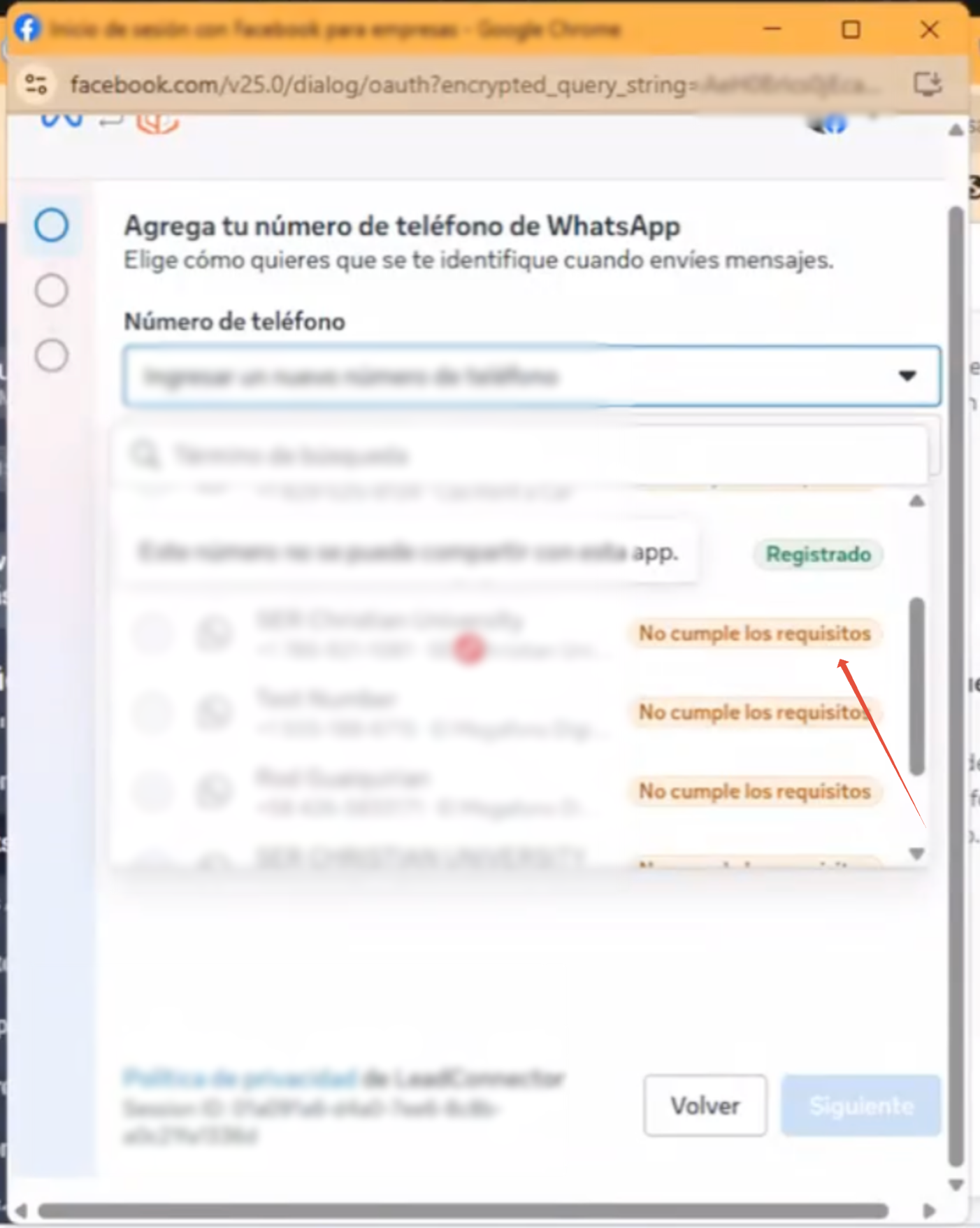
Common ErrorPhone number is ineligible, or: “Your phone number isn't eligible to connect to the WhatsApp Business Platform. More activity on the WhatsApp Business App is needed to help determine eligibility.”
 Why This HappensPossible causes
Meta evaluates the phone number's activity and usage history before allowing it to connect through Coexistence.
Newly registered numbers, inactive numbers, or numbers recently migrated from the WhatsApp Business API may not qualify immediately.
How to ResolveRecommended steps- Continue using the number for genuine conversations in the WhatsApp Business App.
- Ensure the number has at least 7 days of activity. Some numbers may require 30–60 days of usage before becoming eligible.
- Avoid repeatedly deleting and re-registering the WhatsApp Business App account.
- Retry the Coexistence onboarding process after the number has established sufficient activity.
- An approved display name is required before a number can be migrated to a new partner.
Meeting the activity requirement does not guarantee approval. Final eligibility remains with Meta.
2Phone Number Is Already Registered With Another WhatsApp API Provider
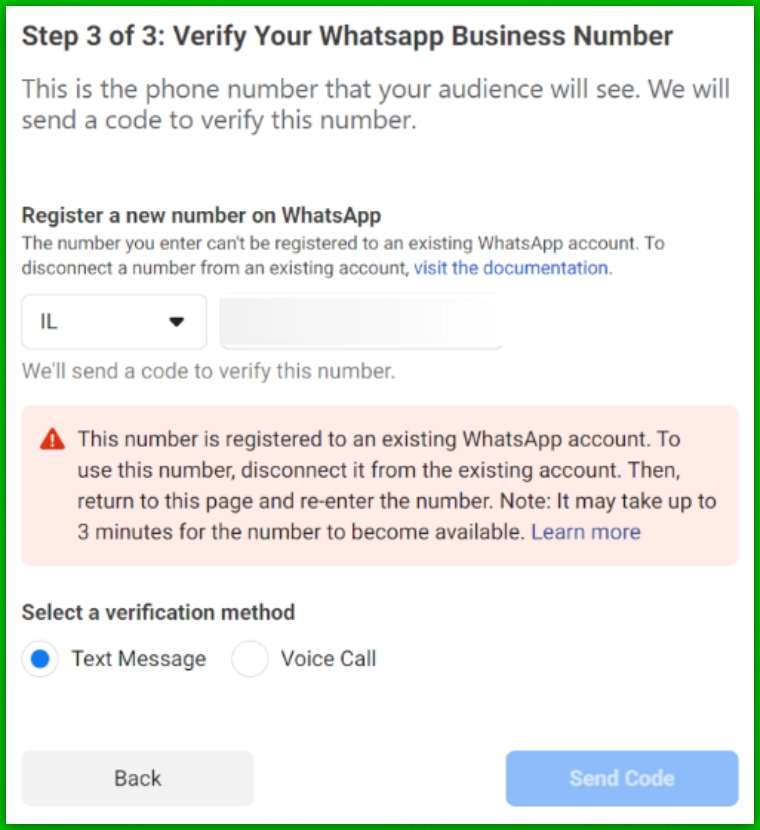
Common Error“This number is registered to an existing WhatsApp account. To use this number, disconnect it from the existing account.”
 Why This HappensPossible causes
The phone number was previously connected to a WhatsApp Business API provider, and the existing registration may still prevent Coexistence onboarding.
How to ResolveRecommended steps- Identify the previous WhatsApp API provider.
- Confirm whether the number is still registered with that provider.
- If switching to Coexistence, properly disconnect the previous API integration.
- Register or continue using the number in the WhatsApp Business App.
- Use it actively for 1–2 months to rebuild eligibility before attempting Coexistence again — don't try to reconnect to the API right away, or Meta may re-flag it.
Disconnecting a number from a previous provider can affect existing messaging services. Back up important data and confirm the migration path before making changes.
Good to KnowIf the number is currently connected to another API provider and you want to migrate to Link+ without retaining the mobile app, use the supported BSP migration process instead of Coexistence.
3QR Code Is Missing or Cannot Be Scanned
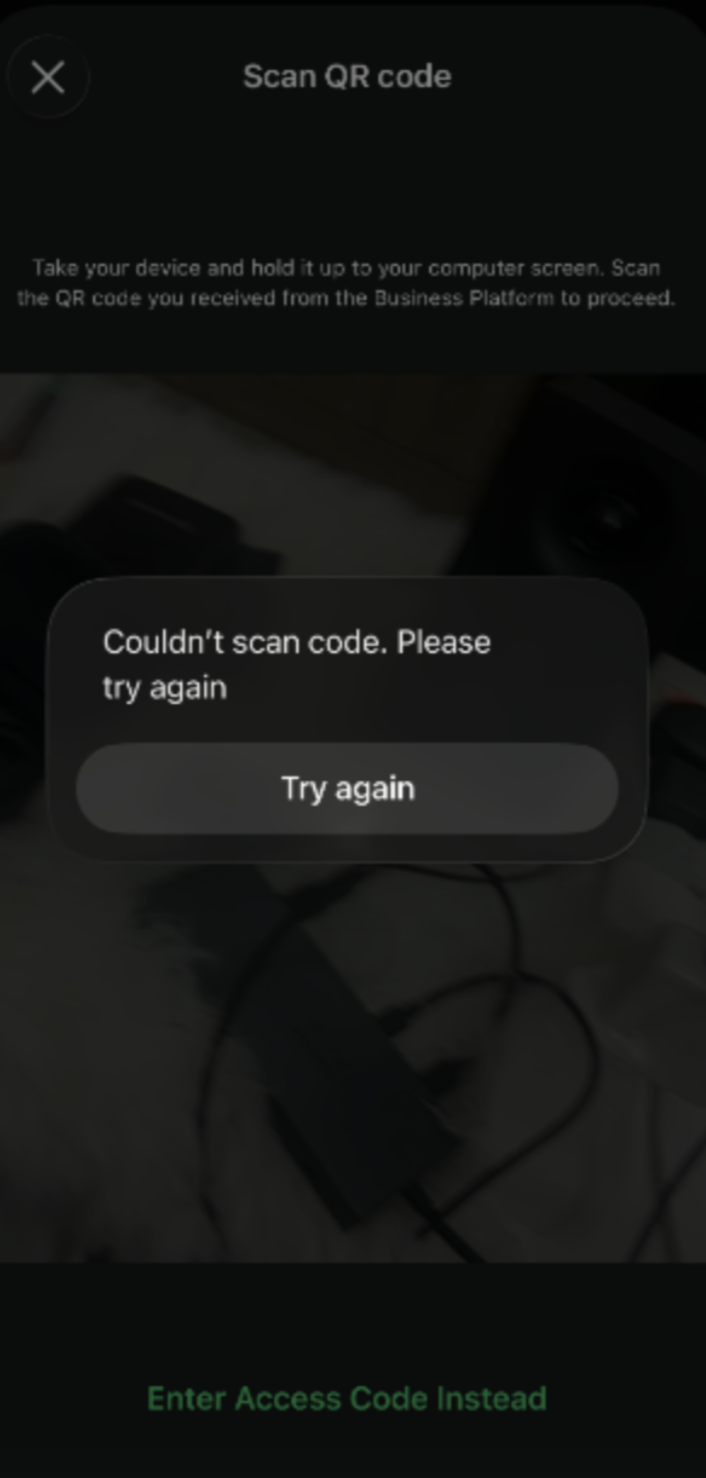 Why This HappensPossible causes
- An outdated WhatsApp Business App.
- An incorrect onboarding flow.
- A temporary Meta-side issue.
- Connectivity or device problems.
- Update the WhatsApp Business App to version 2.24.17 or later. If you instead see the error “Please update your WhatsApp Business App to the latest version”, Meta is blocking signup outright until you update — update before doing anything else.
- Restart the Coexistence onboarding process from Link+.
- Ensure the QR code is scanned using the appropriate WhatsApp Business App flow.
- Check that the phone has a stable internet connection.
- Make sure your camera lens is clean and you're scanning in good lighting.
- If it still fails, retry after a short wait (temporary Meta-side issues do occur).
- As a last resort, uninstall and reinstall the WhatsApp Business App, then retry.
If the QR code is still missing, contact Link+ Support with screenshots of the onboarding screen.
4Chat History or Contact Synchronization Is Stuck
Why This HappensPossible causesChat synchronization may take longer when the WhatsApp Business App contains a large conversation history.
An unstable connection or an inactive mobile app can also interrupt synchronization.
How to ResolveRecommended steps- Keep the WhatsApp Business App open during synchronization.
- Maintain a stable internet connection.
- Allow additional time for large chat histories to synchronize. This can take several hours (up to 6 hours).
- If sync stalls or fails, rescan the QR code to restart the process, confirming the app is on version 2.24.17+.
Avoid deleting the WhatsApp Business App or clearing its data without confirming that important conversations are backed up.
5Unable to Link a Meta Business Portfolio
Why This HappensPossible causesThe Facebook account being used may not have the required permissions, or the selected Meta Business Portfolio may have incomplete business information.
How to ResolveRecommended steps- Log in to Meta Business Suite.
- Confirm that you have administrator access to the correct Meta Business Portfolio.
- Verify that the business name, address, and website information are complete.
- Ensure the correct business is selected during embedded signup.
- Retry onboarding.
If the account belongs to a different business, ask the appropriate administrator to grant the necessary permissions.
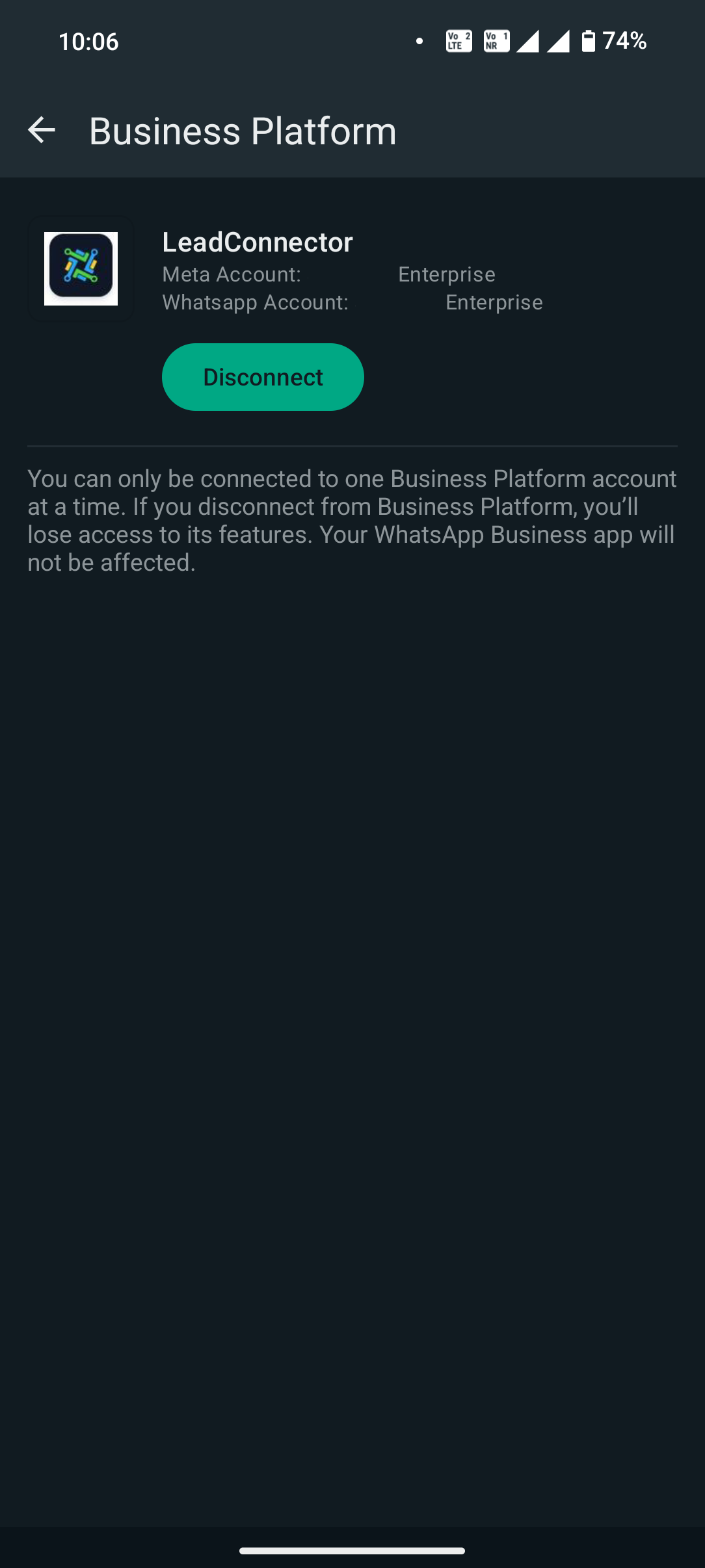
6Unable to Disconnect WhatsApp Coexistence
 Why This HappensPossible causes
You may not find a disconnect option in the Link+ onboarding interface, or may attempt to remove the integration by uninstalling the mobile app.
How to ResolveRecommended steps- Open the WhatsApp Business App.
- Navigate to Settings → Account → Business Platform.
- Select the connected business platform.
- Choose Disconnect, if available.
- Confirm the disconnection.
- Coexistence is disconnected without losing the underlying WhatsApp Business App setup.
Uninstalling the WhatsApp Business App is not the recommended way to disconnect Coexistence.
7Messages From Companion Devices Are Not Synchronizing
Why This HappensPossible causesNot all WhatsApp companion devices support synchronization with the WhatsApp Business Platform.
How to ResolveRecommended stepsUse supported companion devices such as WhatsApp Web or WhatsApp for Mac when synchronized messaging is required.
Heads upMessages sent through unsupported companion devices, including certain Windows or wearable-device integrations, may not appear in Link+ Conversations.
8Unable to Change the WhatsApp Business Name
Why This HappensPossible causesOnce Coexistence is enabled, Meta may restrict changes to the business display name.
How to ResolveRecommended steps- Before starting Coexistence setup, confirm the business name is correct in both the WhatsApp Business App and Meta Business Manager — this is your last easy chance to change it.
- Ensure the name is consistent in the WhatsApp Business App and Meta Business Portfolio.
- If the name is locked after onboarding, contact Meta Support or Link+ Support for further review.
Display name changes remain subject to Meta's approval.
9WABA Sharing or Partner Conflicts
WhatsApp Coexistence onboarding can fail when the WhatsApp Business Account is already associated with another solution provider or when Meta cannot complete the required account-sharing process.
The following errors may appear:
| Error Code | Error Message | Recommended Action |
|---|---|---|
| 2655049 | This account is already shared with another partner. | Unshare the WABA from the other partner in Meta Business Suite, or create a new WABA to use with Link+. |
| 2494029 | This account wasn't able to be shared. | Contact support for further investigation. |
| 2593072 | WABA ID doesn't exist or cannot be accessed. | Verify the WABA ID and account permissions, or choose a different account you have access to. |
| 2494028 | This account is shared with another partner. | Review the existing partner association. Unshare the WABA, or create a new one to use with Link+. |
| 2494091 | Solution Partner must complete Business Verification. | Complete the required Meta Business Verification, then try onboarding again. |
| 2494120 | This WhatsApp account can't be shared. | Escalate to support for investigation. |
| 2494119 | A duplicate service provider can't exist under the parent WABA. | This WABA is already shared with a provider. Select a different WABA, or resolve the existing sharing relationship first. |
| 2655093 | Switching partners isn't supported. | Disconnect the existing partner through the WhatsApp Business App before retrying. |
- Open Meta Business Suite.
- Navigate to the WhatsApp Business Account settings.
- Review the existing partners and connected service providers.
- Confirm whether the account is already shared with another provider.
- If necessary, disconnect the previous provider using the supported process.
- Retry onboarding with Link+.
Do not remove existing partner access without confirming the impact on active messaging services. Some WABA sharing conflicts require Meta Support intervention.
10Phone Number Is Not Associated With the Selected Business
Error code: 3441041
Error Message“Phone number not associated with the business you selected.”
Why This HappensPossible causesThe phone number may belong to a different Meta Business Portfolio than the one selected during onboarding.
How to ResolveRecommended steps- Verify which Meta Business Portfolio owns the phone number.
- Select the correct business during embedded signup.
- Review any existing number associations.
- Resolve incorrect business associations before retrying.
Phone Number Is Not Registered With WhatsApp Business
Error codes: 2655095 2655048
Why This HappensPossible causesMeta cannot identify an active WhatsApp Business App registration for the phone number.
How to ResolveRecommended steps- Confirm that the number is registered in the WhatsApp Business App.
- Verify that the app is active and functioning.
- Retry Coexistence onboarding after registration is complete.
WhatsApp Coexistence Is Not Available in Your Region
Error code: 3441042
Error Message“This feature isn't available for phone numbers from this region.”
Why This HappensPossible causesMeta has not enabled WhatsApp Coexistence for the selected phone number's country or region.
How to ResolveRecommended stepsConfirm whether the number's country is supported by Meta for Coexistence.
If the region is unsupported, you must wait until Meta makes the feature available or use another supported WhatsApp integration method.
ImportantLink+ cannot override regional eligibility restrictions.
13Phone Number Is Already Linked to Another Facebook Page
Error code: 2655082
Why This HappensPossible causesThe phone number is already associated with a different Facebook Page.
How to ResolveRecommended steps- Open Meta Business Suite.
- Review the Facebook Page associated with the number.
- Confirm that the correct Page is selected during onboarding.
- If necessary, unlink the incorrect Page.
- Retry the Coexistence process.
WhatsApp Business Account Uses Marketing Messages Lite
Error code: 3441047
Error Message“Not available for accounts using Marketing Messages.”
Why This HappensPossible causesThe selected WhatsApp Business Account is configured for Marketing Messages Lite (MM Lite), which is incompatible with the Coexistence onboarding flow described here.
How to ResolveRecommended stepsSelect an eligible WhatsApp Business Account that is not configured for Marketing Messages Lite.
If you specifically require MM Lite, use the appropriate supported onboarding process rather than Coexistence.
15What to Do if the Issue Persists
If none of the troubleshooting steps resolve the issue, contact Link+ Support and provide the following information:
Sub-account / Location IDPhone number with country codeWhatsApp Business Account (WABA) IDMeta Business Portfolio IDExact error message and error codeScreenshots or screen recording of the issueDate and time of the failed attempt, including timezoneWhatsApp Business App versionDetails of any previous WhatsApp API provider or Coexistence connectionWhy This HelpsProviding these details helps the support team identify whether the failure is related to account configuration, existing provider associations, or Meta-side restrictions.
16Frequently Asked Questions
Q: Can Link+ manually enable Coexistence for an ineligible phone number?No. Phone number eligibility is controlled by Meta. Link+ cannot manually override Meta's eligibility decision.Q: Can I use the same number on the WhatsApp Business App and Link+?Yes. This is the purpose of WhatsApp Coexistence, provided the number meets Meta's eligibility requirements.Q: Why is my number showing as “Doesn't meet requirements”?Possible causes include insufficient WhatsApp Business App activity, previous API registrations, existing provider associations, or other Meta eligibility restrictions.Q: Will disconnecting my previous WhatsApp API provider immediately make my number eligible?Not necessarily. Meta may require additional activity or time before the number qualifies for Coexistence.Q: Can I use a number that is currently connected to another BSP?A number already registered through another BSP may need to follow the supported migration or disconnection process. BSP migration and Coexistence are different onboarding methods.Q: Who controls WhatsApp Coexistence eligibility?Meta determines eligibility, regional availability, and account-sharing restrictions. Link+ provides the integration and can help investigate onboarding failures.Q: Which WhatsApp Business App version do I need?Version 2.24.17 or later. If Meta shows an “update your app” message, signup is blocked until you update.ConclusionMost WhatsApp Coexistence signup failures are related to phone number eligibility, previous API registrations, Meta Business Portfolio permissions, or existing WABA partner associations.
Before retrying onboarding, verify that the number is active in the WhatsApp Business App, that the correct Meta Business Portfolio is selected, and that there are no unresolved connections with previous providers.
If the issue continues, contact Link+ Support with the relevant error codes and account details for further investigation.