The Custom Webhook Premium Workflow Action enables real-time data exchange between your CRM and third-party services. It allows you to configure custom requests using various HTTP methods, authorization options, headers, and query parameters. This feature helps automate data exchange, improve accuracy, and streamline workflows while accounting for API responses and server limitations.
TABLE OF CONTENTS
- What is the Custom Webhook Premium Workflow Action?
- Feature Uses
- Key Benefits of the Custom Webhook Premium Workflow Action
- How to Set Up the Custom Webhook Premium Workflow Action
- Troubleshooting
What is the Custom Webhook Premium Workflow Action?
The Custom Webhook Premium Workflow Action is a flexible feature that enables real-time communication between your CRM and third-party services. It allows you to configure and send custom data requests to specified URLs using different HTTP methods and authorization options.
You can also add headers, query parameters, and custom values to create a request structure that meets your integration requirements.
The Custom Webhook Premium Workflow Action provides autocomplete suggestions to simplify data mapping and improve accuracy. When configuring this action, consider API responses and receiving server limitations to help prevent errors and disruptions during workflow execution.
Feature Uses
The Custom Webhook Premium Workflow Action is useful for businesses and individuals who need to connect their CRM with third-party services for data exchange and automation.
It is particularly useful for marketers, developers, and IT professionals who want to:
Automate data exchange between different platforms.
Reduce manual data entry and improve data consistency.
Send real-time information to external services.
Connect workflows with external applications and APIs.
Streamline processes across multiple systems.
Key Benefits of the Custom Webhook Premium Workflow Action
Accurate Integration: Establishes communication between your CRM and third-party services, reducing manual data entry and potential errors. Autocomplete suggestions simplify data mapping.
Flexibility: Supports multiple HTTP methods, authorization options, headers, and query parameters, allowing you to customize requests based on your integration requirements.
Real-Time Updates: Enables real-time data exchange and notifications, helping you respond quickly to updates and changes.
Scalability: Supports a variety of integration requirements across different industries and business operations.
How to Set Up the Custom Webhook Premium Workflow Action
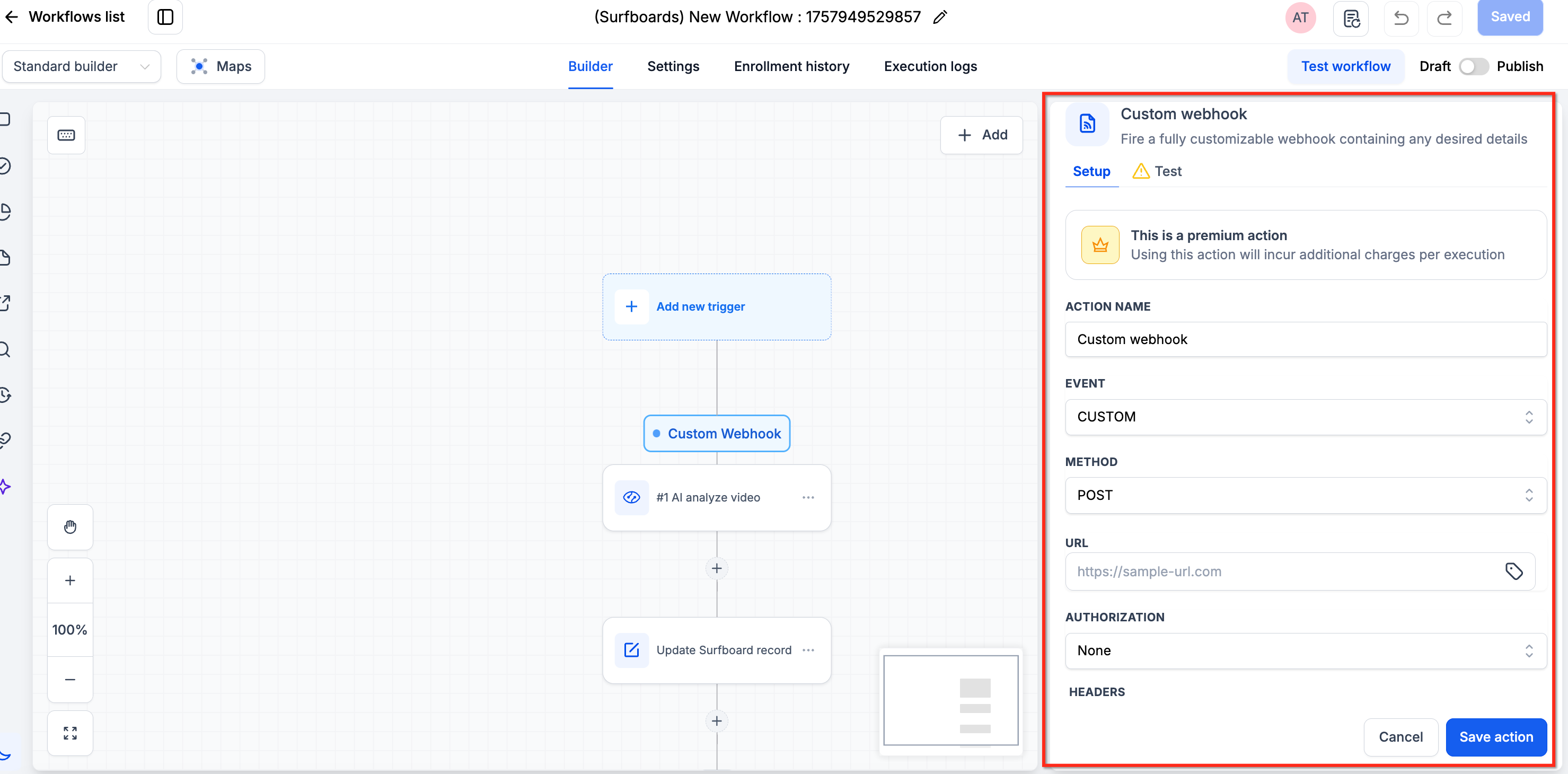
Step 1: Enter the URL
Enter the destination URL where you want to send the data request.
The Custom Webhook Premium Workflow Action allows you to send requests to a specified URL without writing code or managing your own server.
Step 2: Select a Method
Select the HTTP method that matches your integration requirements.
Available methods include:
POST
GET
DELETE
PUT
PATCH
HEAD
OPTIONS
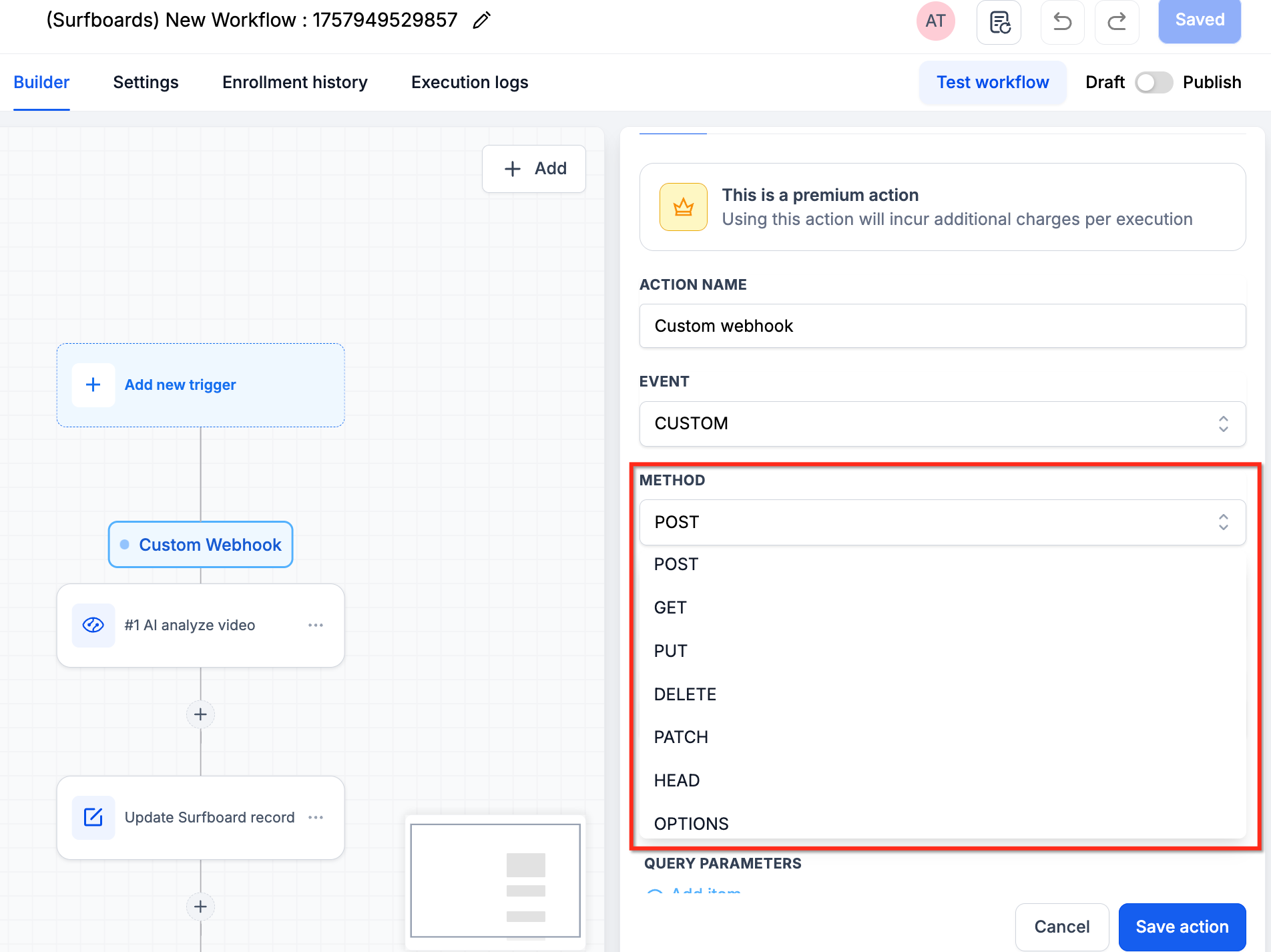
Choose the appropriate method based on the requirements of the receiving API.
Step 3: Select an Authorization Method
Select the authorization method required by the receiving service.
The Custom Webhook Premium Workflow Action supports different authorization options, allowing you to configure authentication based on the requirements of the external API.
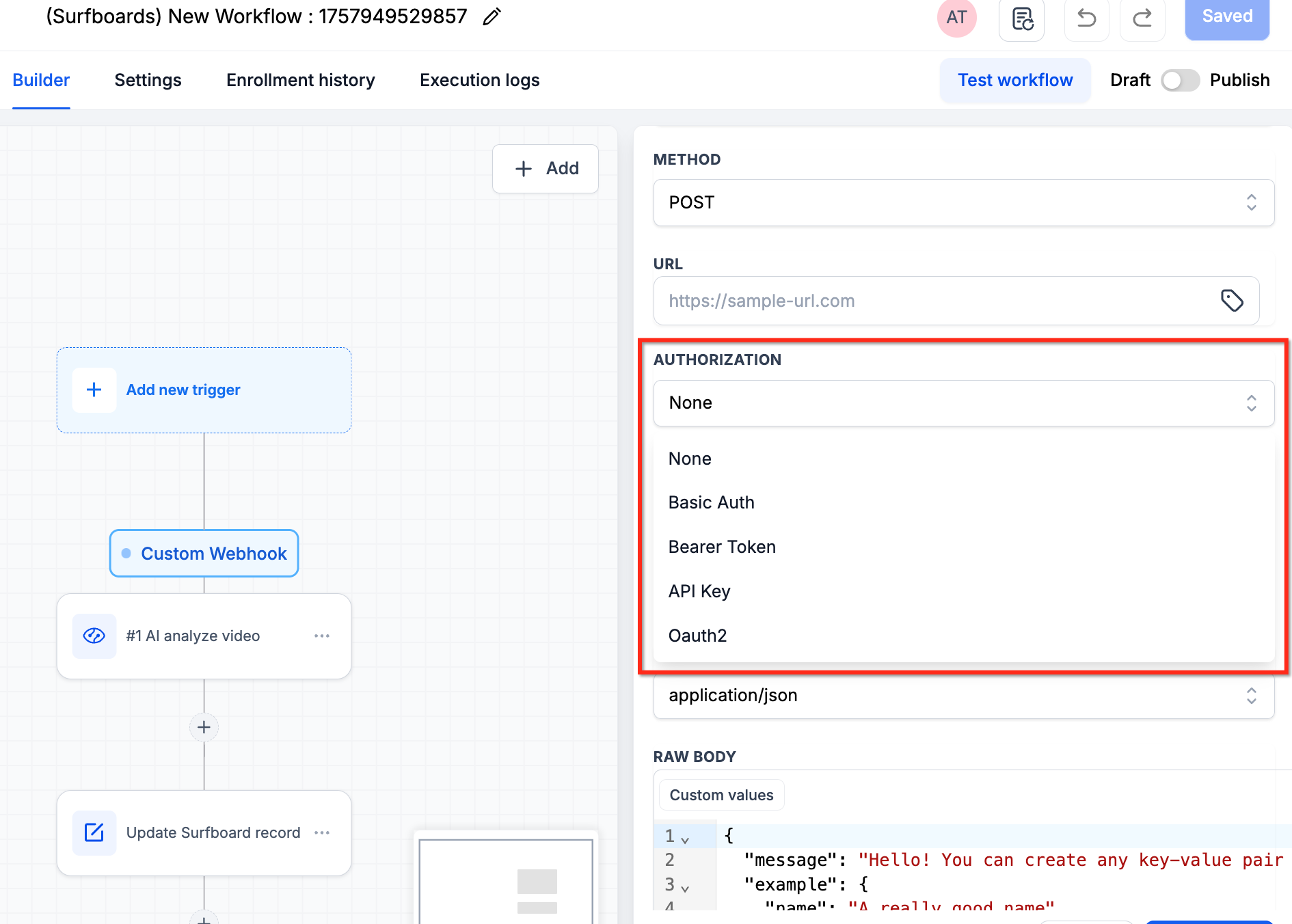
Use the authorization method specified in the API documentation of the receiving service.
Step 4: Configure Headers and Query Parameters
In addition to sending a request body, you can configure headers and query parameters for your Custom Webhook Premium Workflow Action.
Headers
Headers provide additional information about the request, such as:
Authentication credentials
Content type
Cache control
Query Parameters
Query parameters pass additional information to the webhook endpoint.
You can use them to filter, customize, or modify the data returned by the receiving API, depending on its supported functionality.
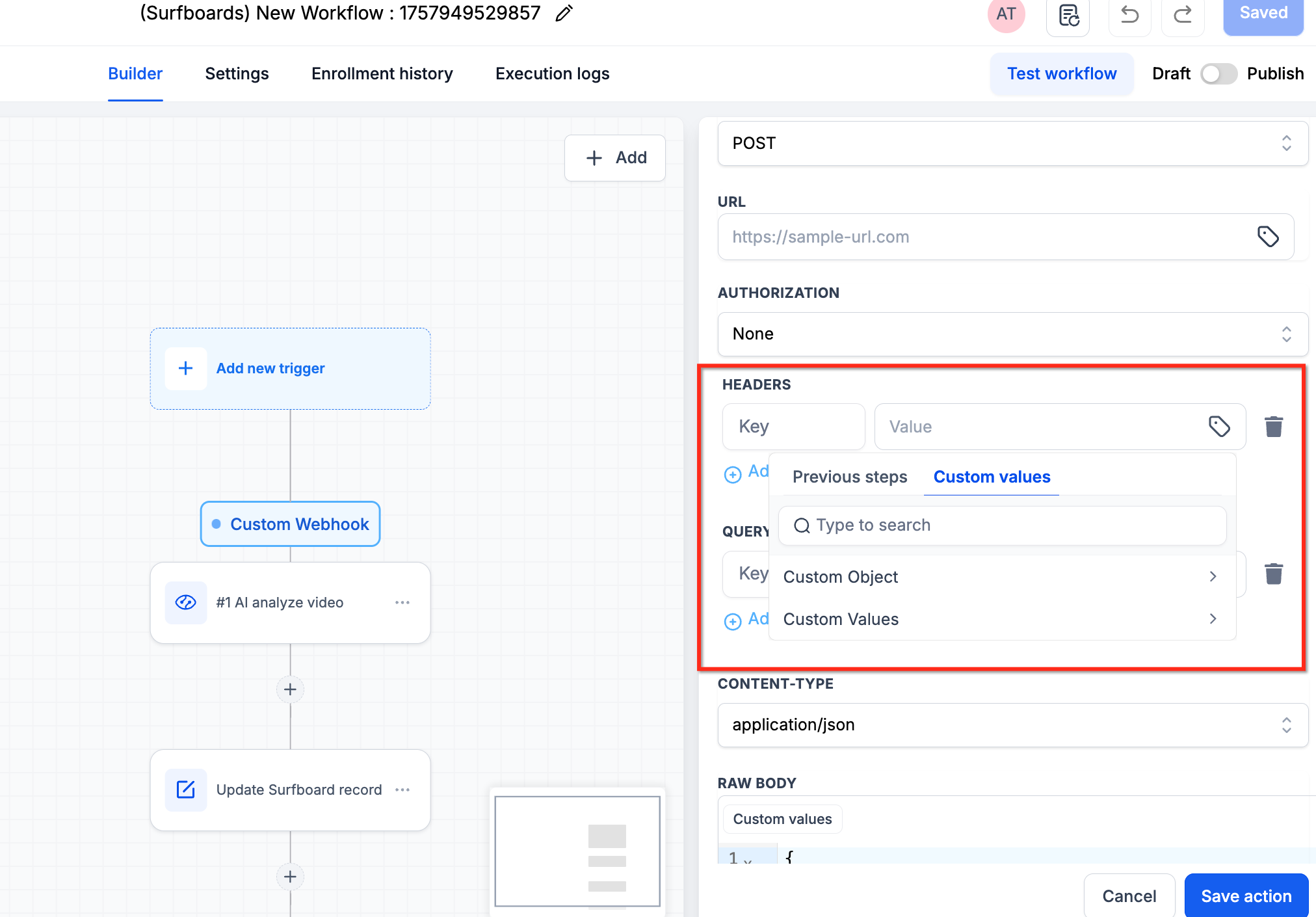
Configure the required headers and query parameters according to the receiving service's API documentation.
Step 5: Configure the Data to Send
The Custom Webhook Premium Workflow Action allows you to map custom values and structure the data according to your integration requirements.
The text editor provides autocomplete suggestions for available custom values, including inbound webhook variables.
These suggestions help you:
Find and insert relevant custom values.
Reduce manual data entry.
Improve consistency when mapping information.
Configure requests more efficiently.
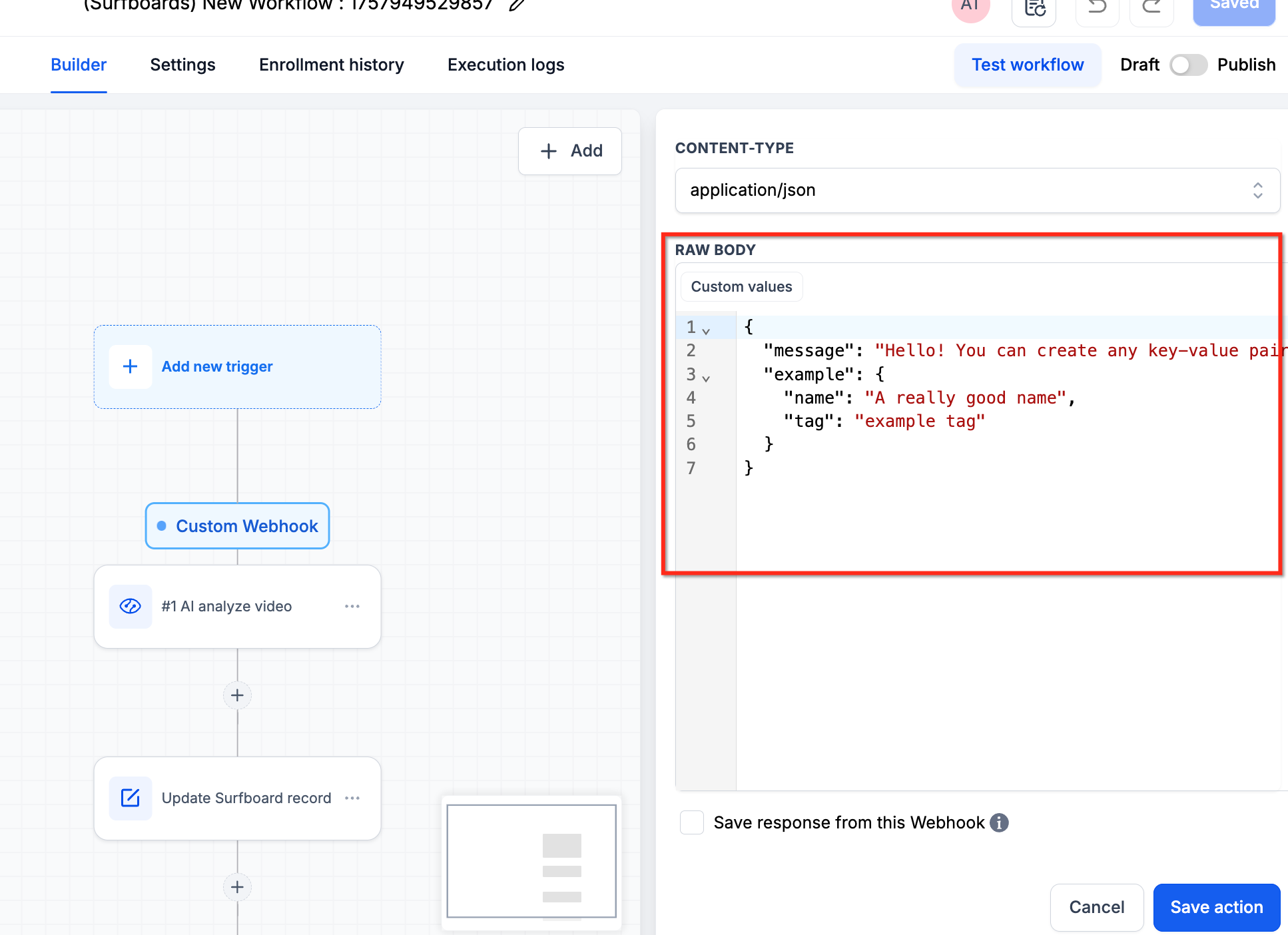
Select the appropriate custom values and organize the request data based on the receiving API's requirements.
Troubleshooting
The successful execution of the Custom Webhook Premium Workflow Action depends on the response returned by the receiving API.
If the API returns an error, the workflow execution may reflect that error and cause the action to fail, be skipped, or retry with exponential backoff.
- Check API Responses: Review the response returned by the receiving API when the Custom Webhook Premium Workflow Action fails. An unsuccessful response may indicate an issue with the request configuration or the receiving service.
- Verify Server Limitations: Ensure that the receiving server can handle the expected number of webhook requests. If the number of requests exceeds the server's capacity or API limits, the receiving service may return errors.
- Consider Workflow Execution Volume: The Custom Webhook Premium Workflow Action executes when a contact reaches the corresponding step in the workflow. When adding contacts to a workflow, consider the receiving server's request limits and processing capacity. This helps reduce errors caused by excessive request volume and supports more reliable workflow execution.